


A message from the Executive Director: Information and Communication Technology
For publication on the University website | Cybersecurity Awareness Month 2026
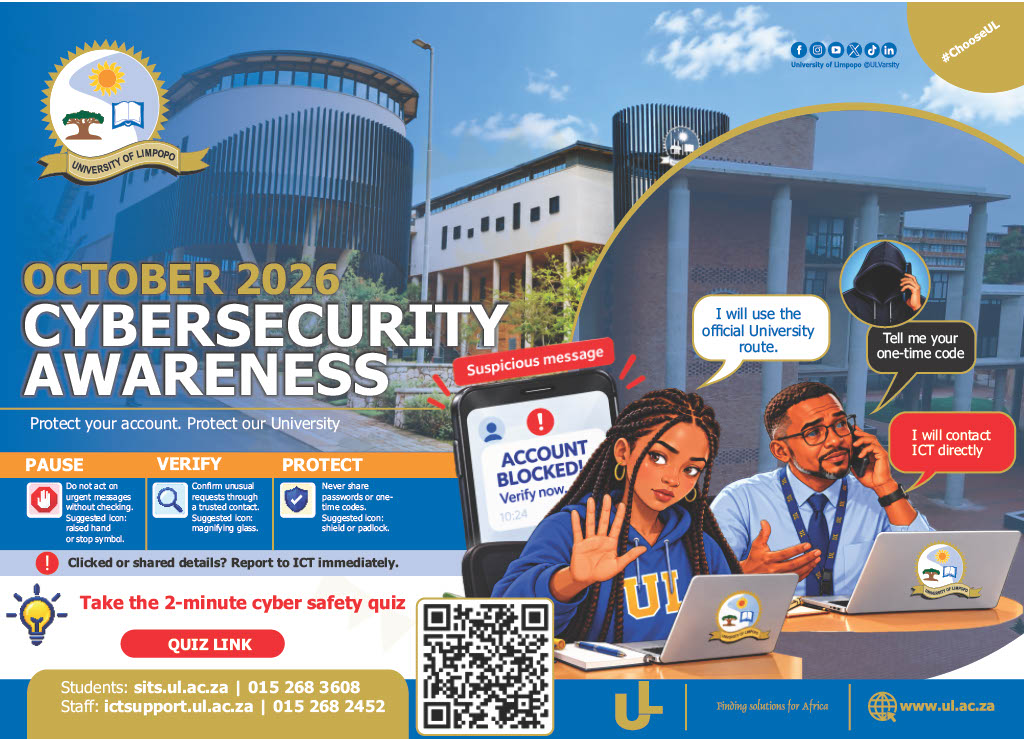
This Cybersecurity Awareness Month, the University of Limpopo calls on everyone who uses its digital services to Pause, Verify and Report, and to use artificial intelligence responsibly and ethically.
The University of Limpopo’s digital services connect us to learning, teaching, research, administration and one another. They also hold information entrusted to us, including the personal information of students and staff, research data and institutional records, which we have a duty to protect, including under the Protection of Personal Information Act (POPIA).
During Cybersecurity Awareness Month this October, I invite students, staff, service providers, research collaborators and visitors who use our digital environment to help protect these services and that information.
Cybercriminals increasingly target people rather than systems. A convincing email, an urgent phone call or a fake sign-in page can be enough to compromise an account. Simple, consistent habits remain among the most effective defences, and this year’s campaign is built around three of them: Pause. Verify. Report.
Pause before you act
Be cautious of emails, SMSs, WhatsApp messages and calls that demand urgent action, threaten account suspension or promise money, bursaries, jobs, accommodation or prizes. Scammers often impersonate the University, NSFAS, SARS, banks, courier companies or familiar colleagues. Treat unexpected attachments, unfamiliar sign-in pages and QR codes from unknown sources with caution.
Verify through a trusted channel
Before following a link, opening an attachment, making a payment or sharing information, confirm unusual requests through an established University channel or by contacting the person directly, using details you already know rather than those supplied in the message. Always verify requests to change banking details or to make urgent payments independently. A familiar name, logo or email signature is not proof that a request is genuine.
Protect your accounts and devices
Use a strong, unique passphrase for your university account and different passwords for your other accounts. Enable multifactor authentication (MFA) wherever it is available. Never share your password or verification codes, and never approve an MFA request you did not initiate: an unexpected prompt may mean that someone else has your password. Keep your operating system, browser and apps up to date, and install software only from trusted sources.
ICT will never ask for your password or verification code by email, telephone, SMS or WhatsApp.
Prepare for examinations
Students should confirm well before examinations that they can sign in to their university accounts and the learning platforms required for assessments. Resolve password and access difficulties early through the official ICT support channels, rather than on the day of an assessment.
When using a computer laboratory, library or other shared computer, do not save passwords in the browser, sign out of all accounts when you finish, remove any personal files you have downloaded and never leave an active session unattended.
Use artificial intelligence responsibly and ethically
Using AI calls for the same care, honesty and judgement we apply to any powerful tool:
- Protect information. Do not enter passwords, personal information, confidential University records, unpublished research or assessment material into public AI tools. Use University-provided or approved tools where available.
- Verify the output. AI-generated content can be inaccurate, biased or entirely fabricated, including references and citations. Check it before you rely on it or share it.
- Act with integrity. Follow your lecturers’ guidance on permitted AI use in assessments and acknowledge AI assistance where required. Respect privacy, copyright and the rights of others.
- Remain accountable. AI can support our work, but people remain responsible for the decisions made and the work produced.
- Stay alert to AI-enabled deception. AI can generate flawless phishing messages and realistic fake voices, images and videos. Convincing content is not proof that a request is authentic.
The University is finalising its AI Governance Framework, AI Strategy and AI Policy, which will be submitted for approval through the University’s governance structures in due course. Together, these documents will guide the adoption and use of AI across the University in a manner that is responsible, ethical, secure and aligned with our values. Until they are approved, existing University policies on ICT use, information security, the protection of personal information and academic integrity continue to apply.
Report concerns early
If you suspect that you have disclosed your password, followed a malicious link, opened a suspicious attachment or noticed unusual activity on your account or device, contact the official ICT support channels immediately:
Staff IT Service Desk: 015 268 2452 https://ictsupport.ul.ac.za
Student IT Support: 015 268 3608 https://sits.ul.ac.za
If you can, change your password straight away. Keep the relevant messages and details, as they will assist the investigation.
Early reporting can make the difference between a minor incident and a serious one. Report even if you are unsure, and even if you think you may have made a mistake.
Take part in the campaign
Throughout October, the University will share posters, videos and practical guidance through email, the University website and internal platforms. Please engage with these materials and discuss them with your colleagues, classmates and peers.
Whether you study here, work here or provide services to the University, your actions contribute to a safer digital community. Let us Pause, Verify and Report, this month and every month.
Executive Director: Information and Communication Technology
University of Limpopo